Start Here
Docs Home
View mode
Showing desktop instructions and screenshots for this guide.
Docs Home is the public guide index. Use it when you want to understand what LaneHelp pages do before opening the live tools, or when you need a calm explanation to share with someone else.
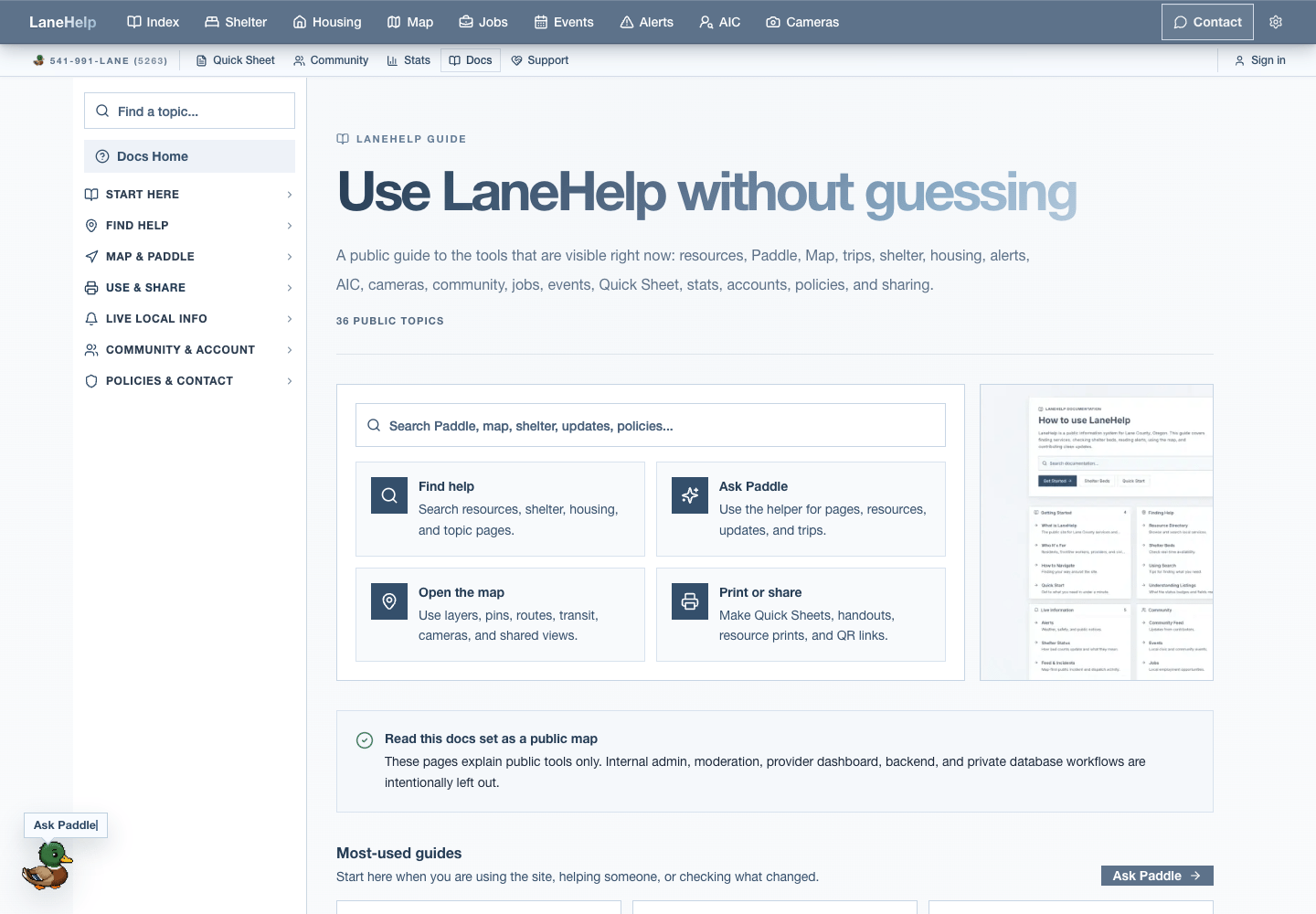
How to use Docs Home
Search docs
Search for plain words like shelter, route, SMS, report, print, AIC, jobs, or privacy.
Start tiles
Use the first tiles for common paths: finding help, asking Paddle, opening the map, and printing or sharing.
Topic groups
Browse the grouped public guides when you want to learn a whole area instead of one page.
Live tool links
Open the real page from a guide after you understand what the page is for.
Reading screenshots
Each guide can switch between desktop and mobile instructions. Screenshot sections can also be hidden when you want to read faster or shown when you need to match the page visually.
Individual topics use the `/docs/[slug]` route family. Use the topic groups on Docs Home instead of guessing a slug by hand.
Info
Docs pages describe public LaneHelp surfaces. Admin, moderation, provider-only, and backend operations are left out unless a public page needs a plain explanation of where a report or correction goes.