Use & Share
Reach Field Tools
View mode
Showing desktop instructions and screenshots for this guide.
Reach is the field-work side of LaneHelp. It helps staff, volunteers, and partner organizations build privacy-safe handoffs, shared QuickSheets, QR field cards, shelter status views, and operational notes without turning LaneHelp into client tracking.
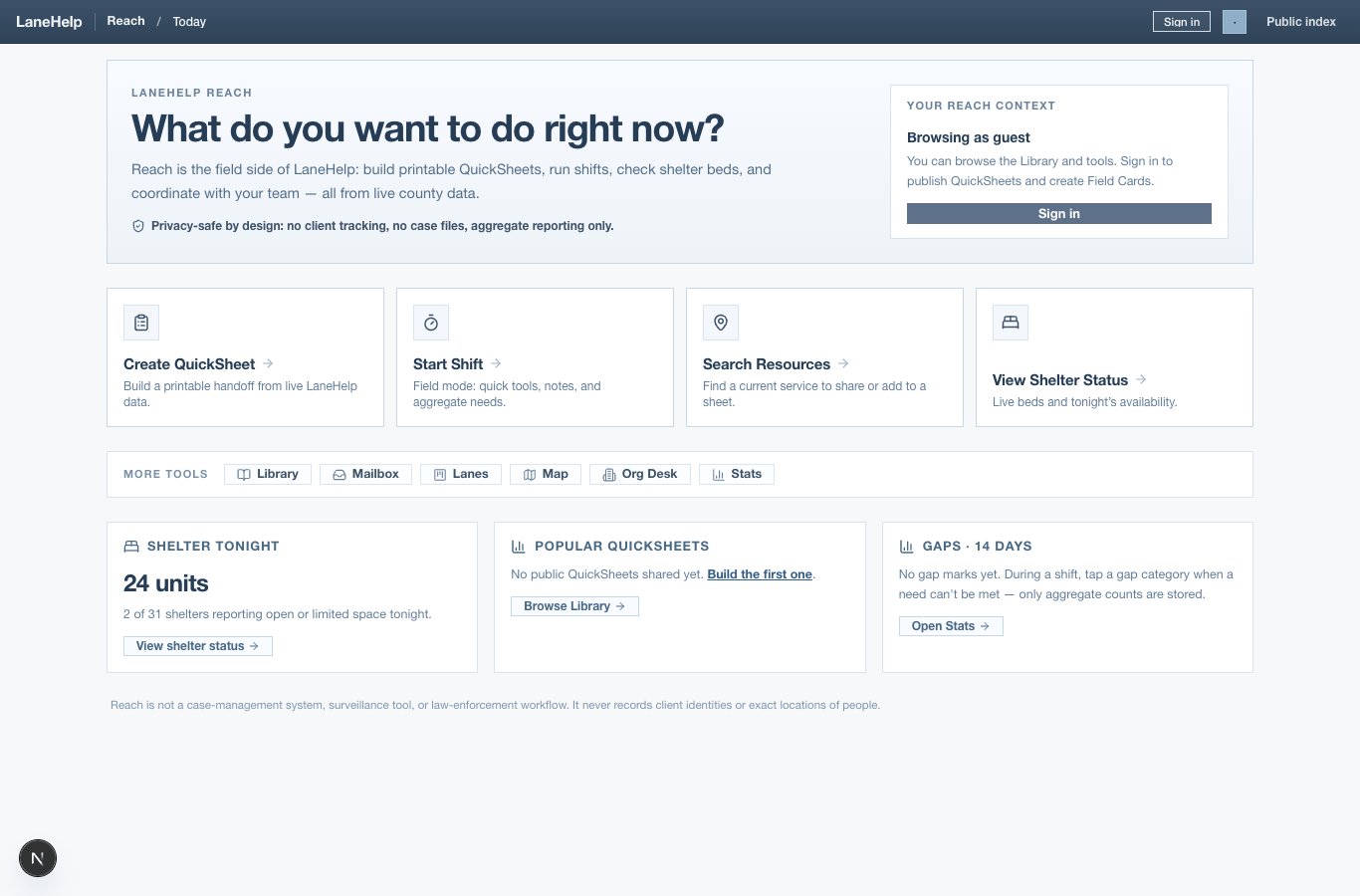
Main Reach tools
Create QuickSheet
Shared library
Field cards
Lanes and shifts
Shelter status
Org tools
Guardrails
- Do not put client names, diagnoses, legal details, private case notes, exact camp locations, or surveillance information into Reach tools.
- Use Reach for service coordination, public handoffs, aggregate needs, and operational status only.
- Shared QuickSheets are for public-safe information. Internal org sheets should stay separate.
- Field-card and short-link routes include `/go/[code]`, `/q/[token]`, `/reach/quicksheet/[token]`, and `/sms/r/[code]`.
Reach
Open the Reach home surface.
Today
Open current shift status and live signals.
Create QuickSheet
Build a field handoff.
QuickSheets
Manage saved org sheets and templates.
QuickSheet preview
Preview a sheet before public sharing.
Library
Browse public shared QuickSheets.
Codes
Work with QR field cards.
Directory
Search resources for field handoffs.
Help
Read Reach-specific help.
Lanes
Open operational lane status.
Map
Open the privacy-safe coordination map.
Shelter
Open the Reach shelter view.
Shelter status
Open shelter operator status tools.
Shift
Open field shift mode.
Stats
Open aggregate Reach usage signals.
Mailbox
Open org-to-org questions.
Notes
Open privacy-safe operational notes.
Onboarding
Open Reach onboarding.
Org desk
Open organization workspace tools.
Public profile
Open public organization profile tools.